Working with UI is challenging. Companies spend a lot of money on teams dedicated solely to UI work for their product. On PCs and handheld consumer products, graphics frameworks have matured significantly and there are several to choose from depending on what your product needs.
On microcontrollers, we don’t have as many choices, and we must take into greater consideration the resource constraints we have.
We will be looking at ST’s TouchGFX and the open-source framework LVGL (Light and Versatile Graphics Library). The details of the article serve more as a first impression than a comprehensive comparison of the two.
TouchGFX is STM32’s own graphics framework written in C++. You spend a lot of your development time with the designer software, TouchGFX Designer, rather than writing the C++ code yourself.
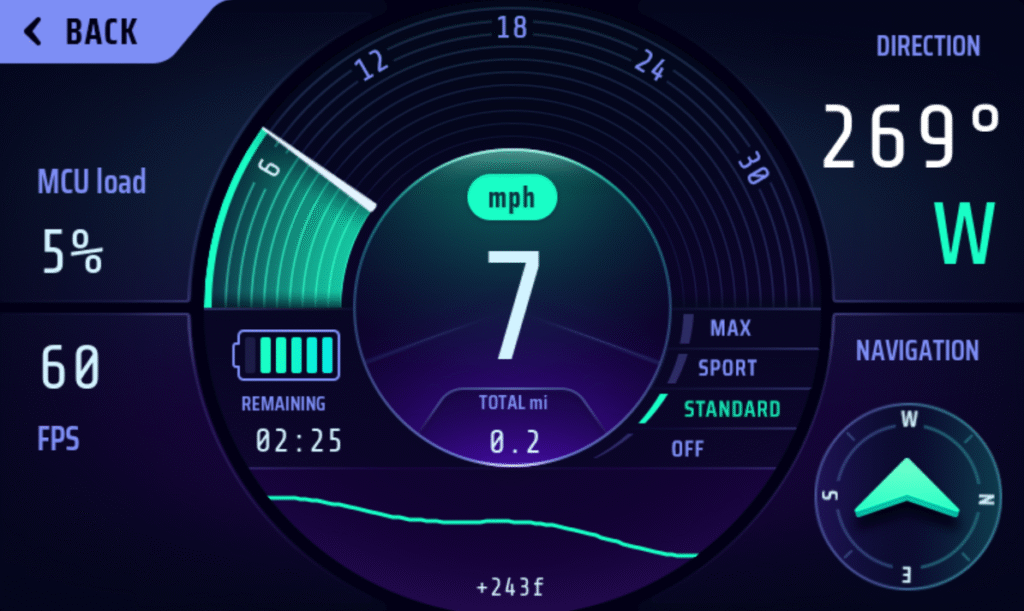
TouchGFX e-bike demo application
The intention is for you to primarily use TouchGFX Designer during development, which is a standalone application from ST.
You can start projects directly from the Designer. It supports a number of boards right off the bat. This lets you use TouchGFX without having to know anything about the display pipeline. For designers, this is a huge bonus as the display pipeline has a relatively steep learning curve that isn’t really relevant if you only work with design.
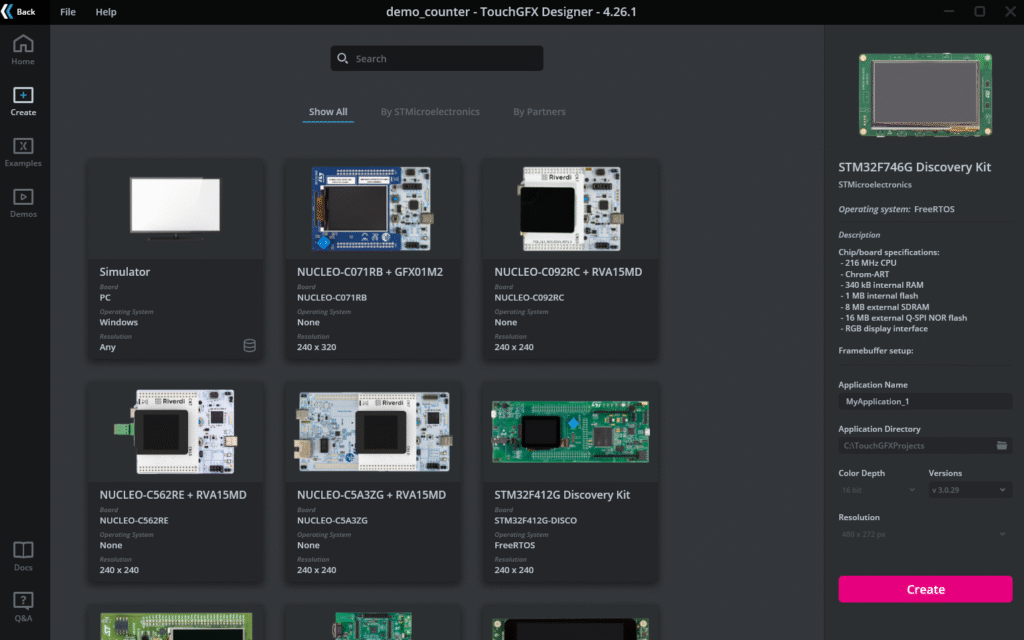
Selecting a board
If you have a custom board, then it’s not as straightforward. You will have to configure TouchGFX through CubeMX. This can be pretty daunting and it’s easy to miss a setting during setup. I’ll use myself as an example here. I’ve tried to start a TouchGFX project 3 times through CubeMX and got it working once, and I cannot remember what setting made it all work. In hindsight I should have saved a copy of the working version, but I think this reinforces the point that it isn’t as intuitive as it could be.
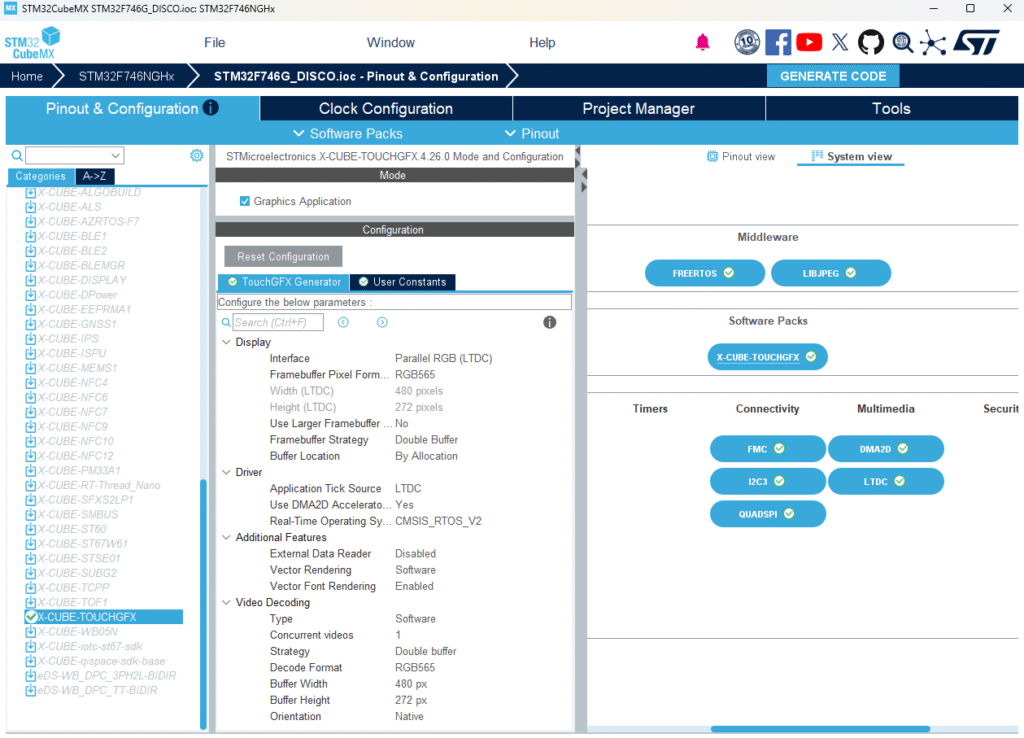
Configuring TouchGFX through CubeMX
Another alternative is to start with a preexisting board in TouchGFX designer and port later. The designer software includes a simulator, so you can continue developing the application itself while someone else works on board bringup.
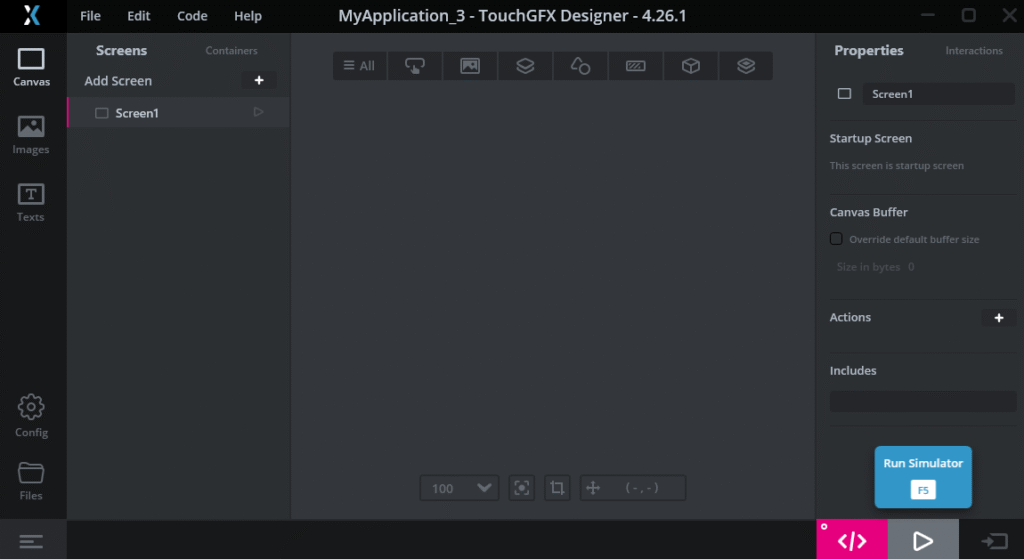
You can run the simulator through F5 or the start button at the bottom left
The designer software is very intuitive, I believe most developers can get going within the first hour of using the application regardless of experience and role. This has another side benefit – the designers work with the same tool as the developers. They can implement simple functionality such as adding a button and run the simulator to get a feel for how the application works. Since everything is visual, you get instant feedback on placement and layout changes.
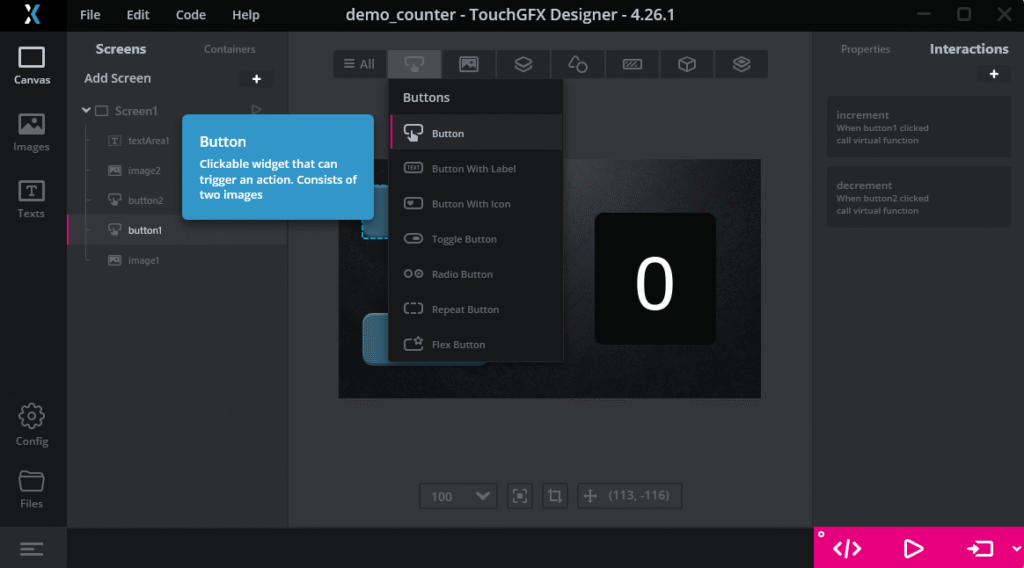
Adding a button widget
TouchGFX designer autogenerates code for you to create the UI. Practically speaking, you only need to implement the function hooks which interface with the rest of your firmware.
I would say that the difficulty in implementing technical features depends a lot on how much C++ experience you have. I think this is a larger consideration than it might initially appear. Most embedded software developers I know have far more experience writing in pure C as the larger embedded ecosystem is written with it.
Here, we also have a split where, by default, the rest of the application is still written in C. If your team is primarily C developers, the C++ requirement is worth factoring into your decision.
I’ve shown below a glimpse on what implementing the button logic looks like – adding a button widget through TouchGFX Designer and defining a virtual function to implement in C++.
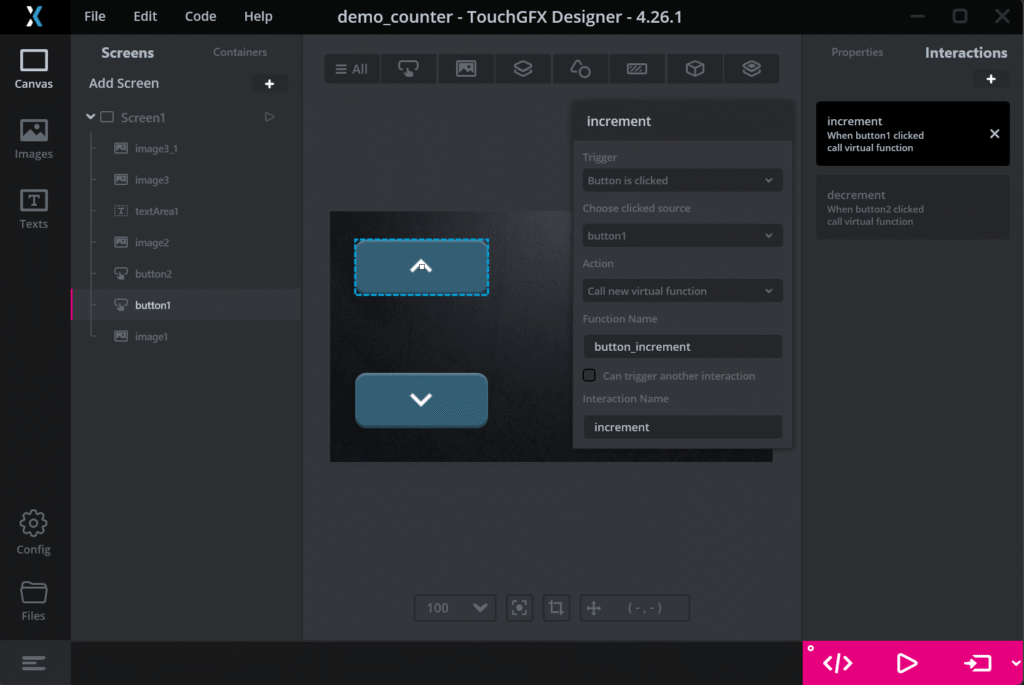
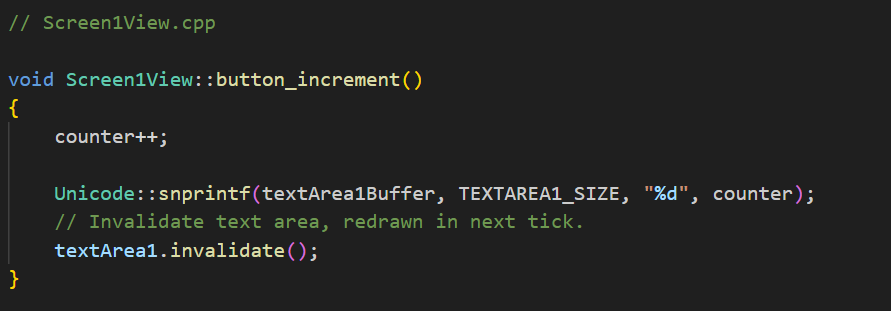
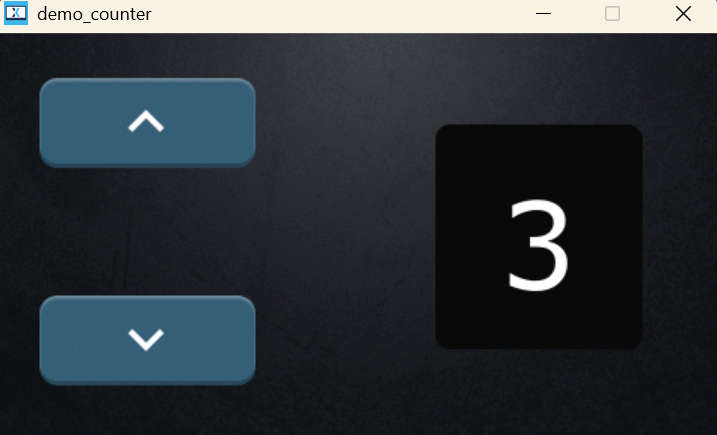
Counter demo application
ST has done a great job in documenting how to use TouchGFX. I highly recommend checking out their TouchGFX academy pages even if you don’t intend to use TouchGFX, as they discuss some of the broader topics surrounding the embedded display pipeline.
LVGL is an open-source graphics display framework that supports a wide variety of operating environments. It also comes with vendor support for major vendors, ST among them.
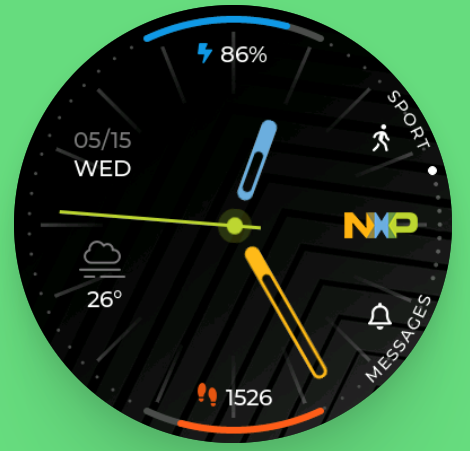
NXP smartwatch demo
It takes a bit more to get started with LVGL compared to TouchGFX.
You must add the library into your project and it supports Make / Cmake-based projects. Afterwards, you must set up an lvgl_conf.h file. This is where you configure the settings for your project. This is also where you can enable vendor support. LVGL provides a config template you can use.
But the most comprehensive part is setting up LVGL within the application itself. It’s not necessarily difficult. Rather, you need to know a bit about the display pipeline so you can make informed choices. For example, what render mode should you choose, do you need a flush callback, how do you connect input devices?
I also want to mention here that Zephyr OS includes support for LVGL. This massively simplifies the setup process. I can only speak for STM32 here but I could run the LVGL demo instantly just by specifying the board I had.
west build -b stm32f746g_disco zephyr/samples/modules/lvgl/demos
You create the visuals directly within your application in C. Some developers prefer this approach as it keeps the UI structure within the codebase and is easier to reason about, but designers coming from GUI-based tools likely find this less intuitive. The main drawback regardless of preference is the iteration cycle. You must recompile and flash your application to see the changes you’ve made, which becomes frustrating when the design work requires many small incremental adjustments.
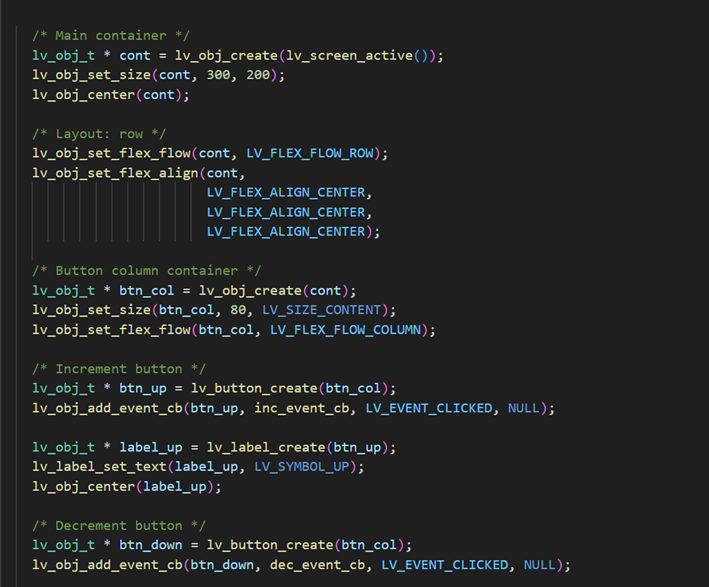
Creating a counter similar to the TouchGFX example
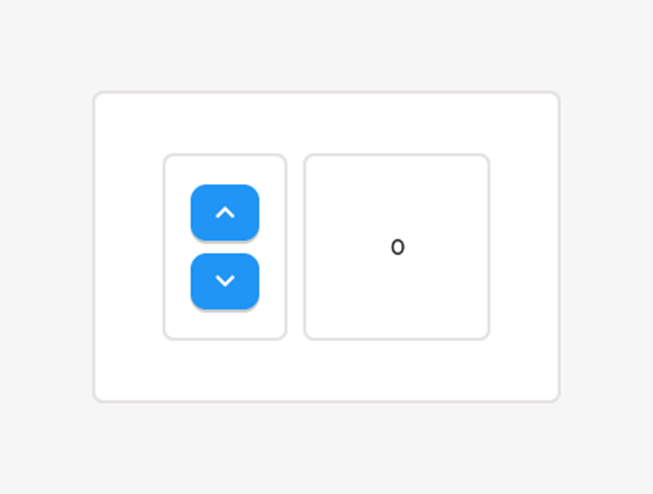
Actual UI
It is possible to pay for a pro license which lets you design your UI with XML and lets you view the output live. If you need to make anything beyond a barebones interface, this quickly becomes a massive time saver. XML-like patterns are heavily used in the design industry, and the format lends itself better to AI-assisted iteration.
I want to add that a free tier exists, but you must grant LVGL access to ALL your private repositories, including those of your organization.
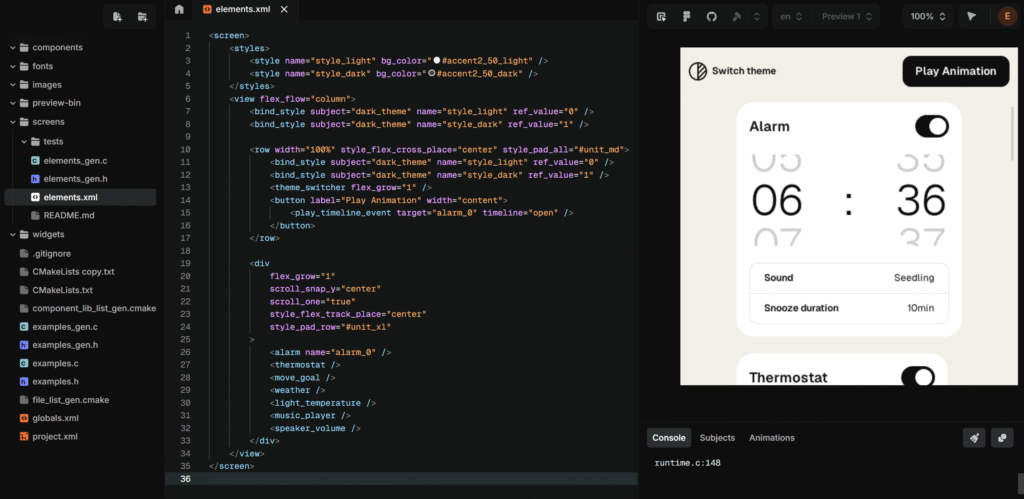
LVGL Editor free trial
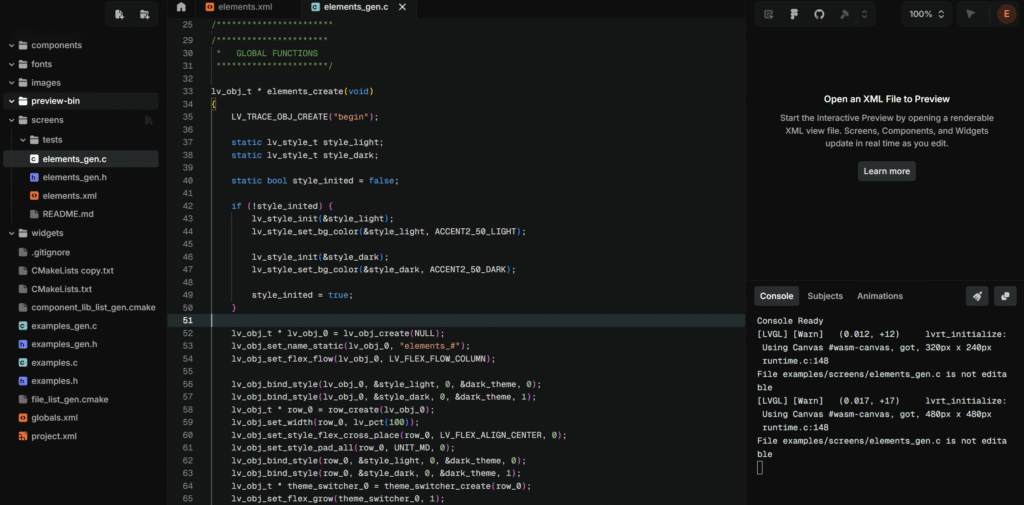
Generated C-code
There are other alternatives that allow you to build your application with LVGL, for example LVGL/MicroPython Simulator. The downside is you can’t port your code directly since this is written in Python.
I think the technical/programming-side of LVGL has a huge advantage over TouchGFX just from the fact that it is written in C. It is much easier to integrate LVGL with the rest of your application. Also, it supports all major operating environments which adds to ease of integration (Zephyr OS again comes to mind).
It’s worth mentioning that you carry a larger responsibility when it comes to performance. If you started a project with TouchGFX designer, you don’t really need to think about render mode, framerate, hardware acceleration and so on – it will give you a very good default configuration. With LVGL, these settings are more explicitly exposed to you. The difficult part is that these kinds of choices are nonlinear and there really isn’t a one size fits all solution. You must know your hardware and be familiar the display pipeline.
The written documentation is also very good for LVGL. There aren’t any YouTube tutorials that really teach you how to use it, but I think most developers can pick up LVGL relatively quickly just from the docs alone.
LVGL can actually run on desktops too, it’s not just embedded. This could open up a workflow where you create the application on desktop first before porting it to your target hardware. This is not as streamlined as the simulator that TouchGFX has, where you can run the same application without any extra reconfiguration.
I’ll be making more direct comparisons between the two and discussing some factors that I would consider for choosing a framework.
I believe that the preference in workflow is the most important thing to consider when choosing between the two.
I feel that I have more freedom in terms of implementation with LVGL than with TouchGFX. I mentioned that the initial setup for LVGL is more difficult upfront, but it was actually far less painful than when I tried to set up TouchGFX through CubeMX. I had to spend more time learning about display frameworks and the hardware I had, but I can carry this knowledge with me into the future. With CubeMX, I felt like I was just flipping switches and praying that one of them would get my project up and running.
Another point worth considering is that TouchGFX Designer is Windows only, which can be a friction point for developers who use Linux or WSL as their primary development environment.
The only thing that would push me toward TouchGFX is the cost of LVGL’s pro license. For any serious application, I couldn’t see myself working on the design without the XML editor, and the alternatives such as the python simulator is clunky to integrate into your workflow.
Asset management is a relatively important part of the workflow as most MCUs rely on pre-rendered static assets saved in flash rather than dynamic rendering. While both frameworks come with built-in assets, you will likely be using your own further into development.
TouchGFX handles asset conversion automatically when you import through the Designer. LVGL requires you to convert images and fonts into C code yourself using their conversion tools, which then get compiled directly into your binary. LVGL also has a filesystem module that lets you load assets at runtime, though this requires implementing a filesystem driver for your hardware, so there is a tradeoff here between flexibility and setup.
Performance is an important consideration in embedded development, but I don’t think it’s a deciding factor when choosing between the two frameworks. Both do a good job of optimizing for you out of the box – TouchGFX in particular gives you a solid starting point through its default configuration. LVGL on the other hand requires additional tuning but achieves comparable results once properly configured.
More importantly, the techniques you’d use to optimize performance are the same regardless of framework – using more static assets, only updating dirty regions, and so on. So the performance ceiling is largely determined by your hardware and how well you use it, not by your choice of framework.
Like with performance, the memory footprint of the frameworks also have little impact on choice. The majority of your resources will be consumed by buffers (framebuffers, render buffers) and static assets (images, fonts) regardless of your choice. A single framebuffer will easily take a few hundred kilobytes of memory, and higher-end systems often have 2 framebuffers. For reference, LVGL’s documented minimum is 64 kB of flash for the library itself, with 180 kB recommended.
The table below is based on TouchGFX’s section on memory usage. These are very rough approximations and I’d suggest checking their page for a more nuanced breakdown.
| Minimal project | Demo1 |
|---|---|---|
TouchGFX framework | ~13 kB | ~85 kB |
Assets (ext. flash) | ~82 kB | ~5 281 kB |
Framebuffers (RAM) | ~786 kB | ~786 kB |
TouchGFX uses ST’s SLA0048 license. You can use TouchGFX for commercial products but you are restricted to using it on ST hardware. LVGL on the other hand has an MIT license.
It’s also worth considering the community around each framework, especially when hitting edge cases and needing to find answers online. TouchGFX’s community is narrower by nature, but being backed by ST means that you have official support to fall back on. LVGL’s community is significantly broader, which generally means more resources and more answered edge cases, even if not all of it applies to your specific hardware.
Both frameworks are capable of producing solid UI for embedded devices, and I believe the decision ultimately depends on your team and your workflow.
As I mentioned at the start, this article is based on initial impressions. GUI development covers so many scenarios that simply cannot be explored in such a small timeframe, and your experience may differ depending on your hardware and application. With that said, I hope this gives you a useful starting point for deciding which one is worth exploring further.
Einar is an embedded software developer focused on low-level driver development and system bringup across a variety of hardware platforms, from bare metal and RTOSes to embedded Linux. He has a keen interest in understanding how systems work from the ground up, and is always looking to dig deeper into the technologies he works with.